A wedding planning checklist
Everything from booking the venue to the rings on the day, shared with your partner and anyone helping. Co-Do began as exactly this.
Start with this list → Start from blank
Free, with no adverts and no app store. The starter list opens in Co-Do for you to check, and nothing is added until you press Add.
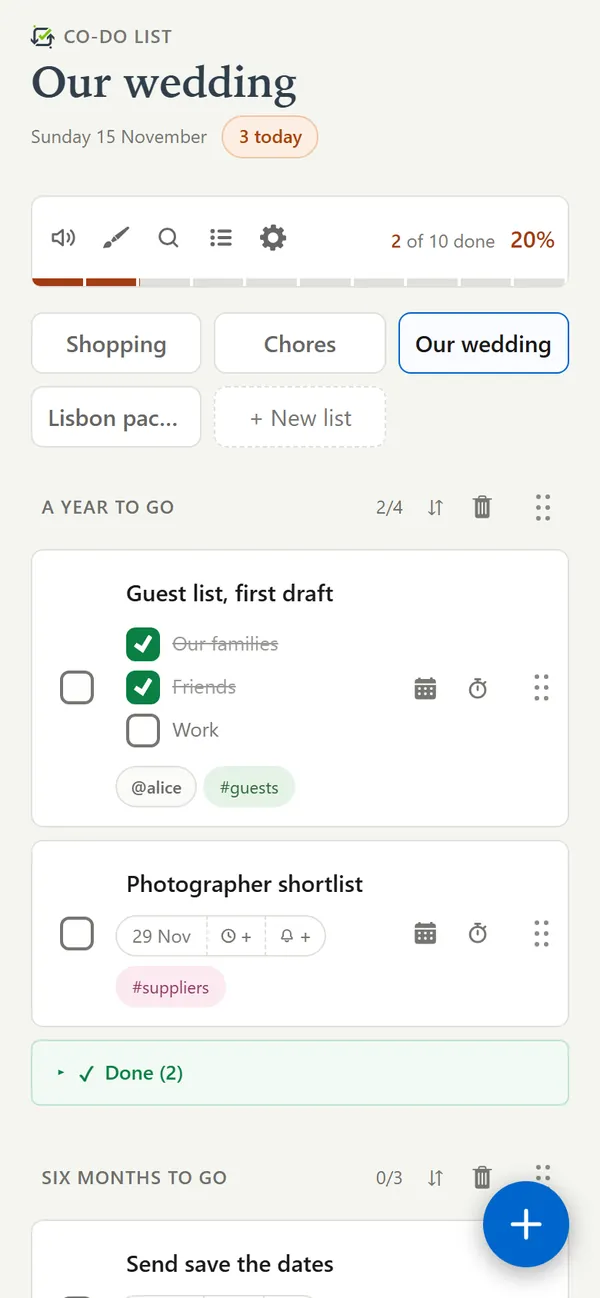
Why Co-Do for this
- Shared with everyone helping. You, your partner, a parent and the best man all see the same list, and changes appear for everyone as they happen.
- Deadlines that do something. Give a task a date and it can remind you on your phone, and appear in the calendar app you already use through a link it subscribes to.
- Jobs given to people. Write @name on a task and it belongs to them. They are told, and can see only their own jobs.
- Steps inside a task. Break a big job into ticks in its note - the guest list into each family and each group of friends - and watch them go.
- Tags across the timeline. Mark tasks #venue or #money wherever they fall, then use the magnifier to see every one of them together.
The starter list
Change anything you like once it is in. The names after @ and the tags after # are examples.
A year or more to go
- Set a budget #money
- Choose a date
- Book the venue #venue
- Draft the guest list @sam #guestsOur familiesFriendsWork
- Book the officiant or registrar
Six to twelve months
- Book the photographer
- Book the caterer #venue
- Choose the wedding party
- Send save the dates #guests
- Find the outfits
One to six months
- Send the invitations #guests
- Sort the legal paperworkCheck what your country and venue need, and how far ahead.
- Book the music
- Order the cake
- Buy the rings @sam
- Plan the seating #guests
The last few weeks
- Confirm numbers with the caterer #venue
- Final fittings
- Write the speeches
- Supplier payments ready #money
- Pack an emergency kitSafety pinsPlastersPainkillersPhone charger
Getting going
- Press Start with this list. Sign in, or choose to use it on this device only, and the list is waiting for you to add.
- Share it from the list menu with your partner and anyone helping, by typing their usernames.
- Give each task a deadline from its calendar icon. Turn on reminders in settings to be told on your phone.
- The starter list gives a few jobs to @sam: tap the name to give them to someone real. Tags such as #venue and #guests are already on.
Questions
Can my partner and I both edit the wedding checklist?
Yes. Share the list by typing their username and you can both add, tick and change tasks, on any phone or computer.
Can wedding deadlines go into my calendar?
Yes. Each list has a calendar link that Google Calendar, Apple Calendar or Outlook can subscribe to, so deadlines appear there and stay up to date. You can also save them as a calendar file.
How many tasks can a list hold?
As many as you need. A list has up to four sections, which suits the four stages of the timeline here, and you can keep up to five lists of your own.
Other lists to start from
More about the app, and the answers to other questions, on the Co-Do List page.