Co-Do List
A shared checklist you can shape however you like.
Open Co-Do List → Add it to your home screen
Free. No adverts, no app store, and it works offline.
What it is
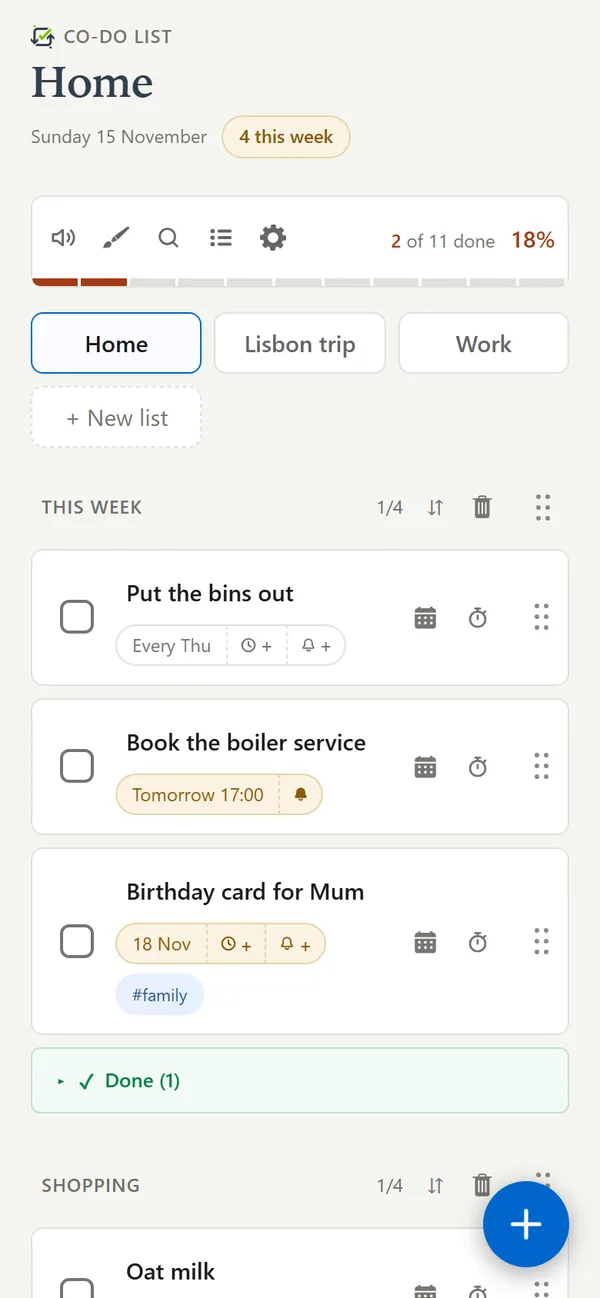
A to-do list for the people you actually share things with. A family running a household, a couple planning a trip, friends splitting up a project, or just you and the things you keep meaning to remember. Sections you name yourself, tasks you can tag, deadlines that reach your calendar and your phone, and a list you can hand to somebody by typing their username.
And it is built to be satisfying to use. Ticking something off says so: the box fills, the bar moves, and finishing a whole section makes a noise about it. Small things, but they are the reason a list gets picked up again tomorrow.
- Shared properly. Give somebody a list and you both see every change as it happens, on every device either of you uses.
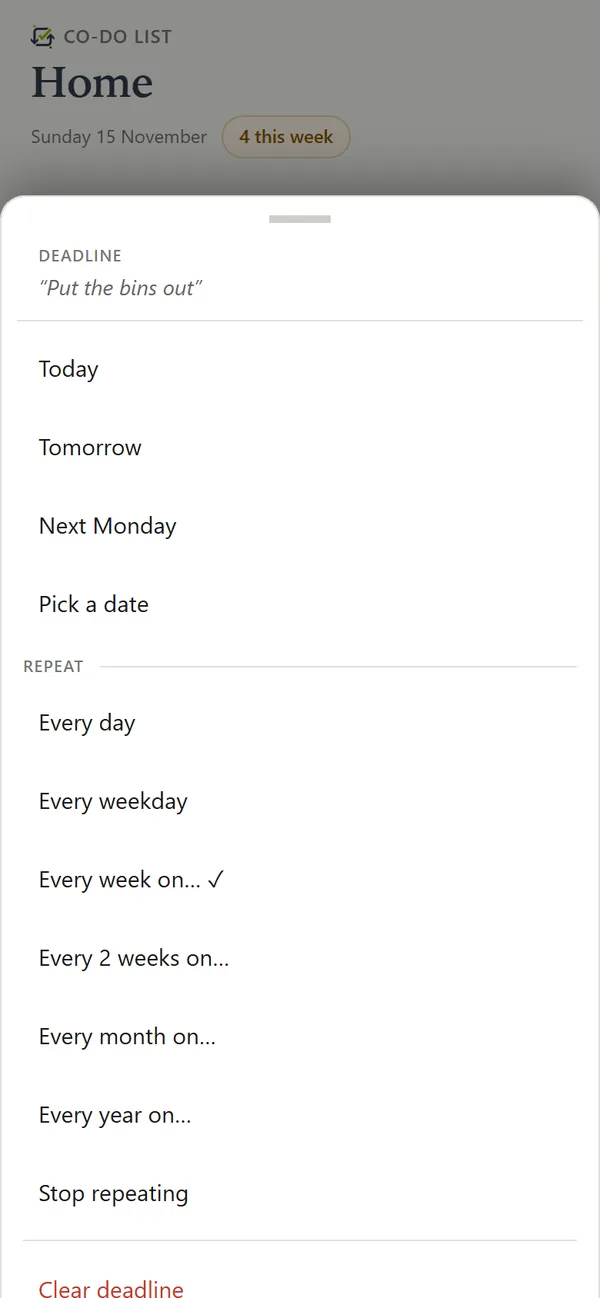
- Deadlines that do something. A reminder on your phone, a calendar your own app can subscribe to, and a warning when a deadline lands on something you are already busy with.
- Timers and progress. Count down on any task, or time one and find out afterwards how long it really took. A progress bar per section, and a sound when you clear one.
- Paste a list in from anywhere. From ChatGPT, from your notes, from an email - anything with bullet points - and copy one back out the same way.
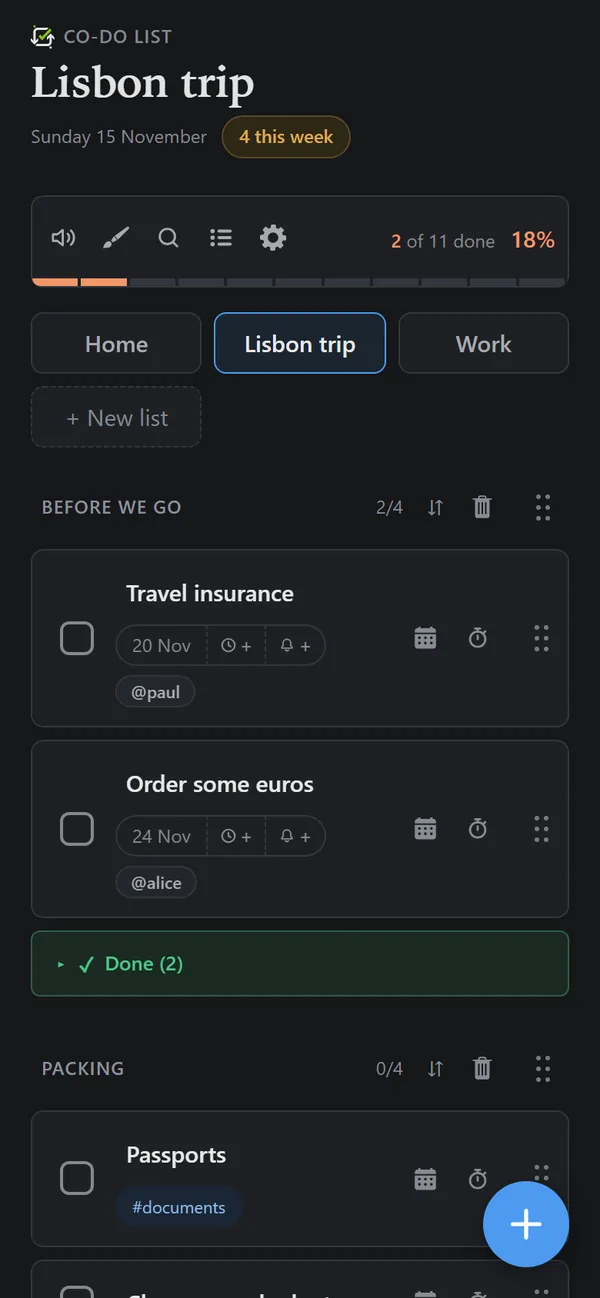
- It looks how you like. Your own title, colours and logo, and a light and dark mode that follow your phone.
What it looks like
Start from a list
Ready-made lists to begin with, each a tap from being yours:
Put it on your phone
There is no app store and nothing to download. Add the page to your home screen and it opens like any other app: its own icon, full screen, no address bar, and it still works with no signal.
On an iPhone this is worth doing even if you like tabs. Apple only lets a web app send notifications once it is on the home screen, so deadline reminders need it.
How to add it
- iPhone or iPad, in Safari
- Open co-do.app, tap at the bottom of the screen, scroll down to Add to Home Screen, then Add.
- Android, in Chrome
- Open co-do.app, tap at the top right, then Install app or Add to Home screen.
- A computer, in Chrome or Edge
- There is an install icon at the right-hand end of the address bar, and the same thing is in the browser's own menu.
Questions
Is Co-Do List free?
Yes. There is no paid plan, no adverts, and nothing is sold on. Using it costs nothing, on as many devices as you like.
Does it work on iPhone, Android and computers?
Yes. It runs in any modern browser - Safari, Chrome, Edge, Firefox - so the same lists are on an iPhone, an Android phone, an iPad and a computer at once. Add it to your home screen and it opens like an app, with its own icon.
Do I need to download anything?
No. There is no app store listing and nothing to install. Open co-do.app, and if you like, add it to your home screen from the browser's menu.
Does it work offline?
Yes. Your lists stay on your device, so you can read and tick things off with no signal. Changes sync to everyone as soon as you are back online.
How does sharing a list work?
Share a list by typing the other person's username, or send them an invite link. Everyone on the list sees every change as it happens, and can be given tasks with @their name. The owner can lock the list's look so it stays the way they set it.
Do I need an account?
Only to sync and share. An account is an email address, a password and a username; the email is never shown to anybody. Without one, choose Use on this device only and your lists stay in that browser.
How many lists can I have?
Five lists of your own, each with up to four sections and as many tasks as you need. Lists other people share with you do not count towards the five.
Can it remind me about deadlines?
Yes. Give a task a deadline and a reminder, and turn reminders on for each device you want them on. On an iPhone or iPad, reminders need the app added to the home screen first - that is Apple's rule for web apps.
Can my deadlines go in my calendar?
Yes. Each list has a calendar link you can subscribe to in Google Calendar, Apple Calendar or Outlook, which keeps itself up to date. You can also add a single task to your calendar, and connect a Google or Microsoft calendar to be warned when a deadline clashes with something already booked.
Can tasks repeat?
Yes - every day, every weekday, every week or two on a day you choose, or every month or year on a date. A repeating task stays ticked until its next one comes round.
Can I paste in a list from ChatGPT, Claude or my notes?
Yes. Paste anything with bullet points and Co-Do turns headings into sections and bullets into tasks, with a preview before anything is added. Lists come out the same way, as plain text you can paste anywhere.
Where is my data kept, and can I delete it?
Lists are stored in a database in Ireland and on your own devices. They are not end-to-end encrypted. You can export a backup at any time, and Delete account in the cog menu removes your profile and every list you own straight away. The privacy notice has the full detail.
Whose it is
Yours. An account needs an email address because that is what signs you in and what recovers your password. It is never shown to anybody else, and sharing works by username instead. There are no adverts and nothing is sold on.
Lists live on your devices and on the server that syncs them, and you can take a backup of everything whenever you like.