A shared shopping list
One list for the whole household, on any phone. Add milk at home and see it ticked off in the shop.
Start with this list → Start from blank
Free, with no adverts and no app store. The starter list opens in Co-Do for you to check, and nothing is added until you press Add.
Why Co-Do for this
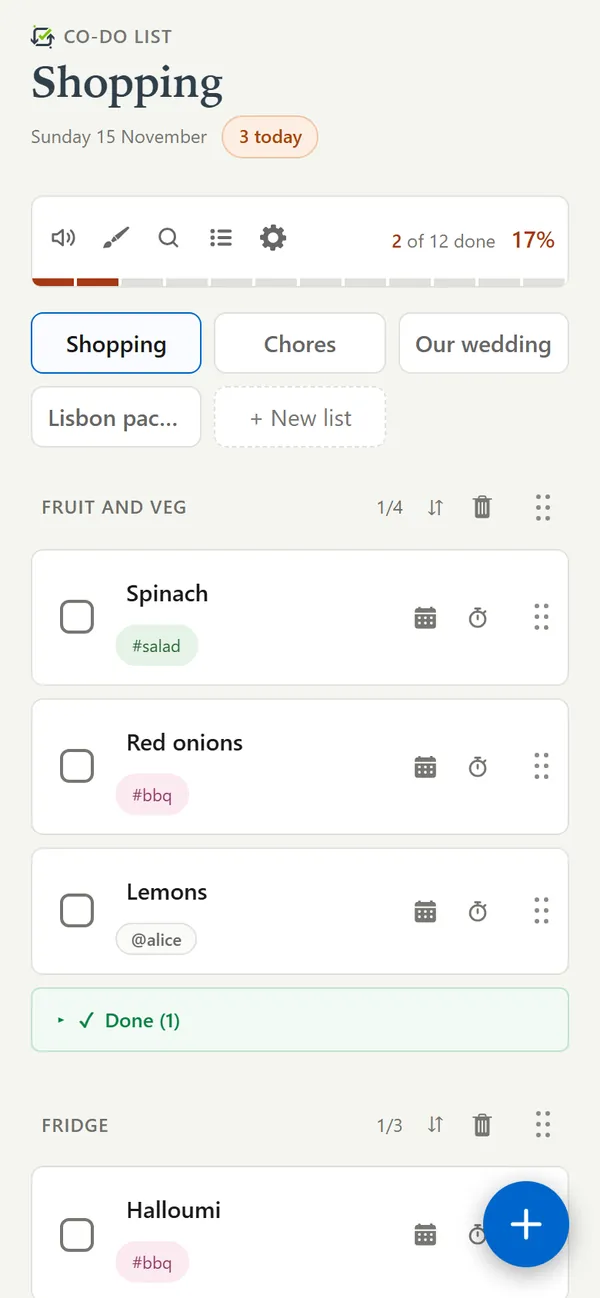
- Any phone, the same list. It runs in the browser, so an iPhone, an Android phone and a laptop all open the same list. Nobody has to switch phones or install anything from a store.
- Live while you shop. Tick something off in one aisle and it is ticked on everybody else's phone straight away, so two people can split the shop without buying two of everything.
- Sections in the order you walk round. Name up to four sections yourself - fruit and veg, fridge, cupboard, household - and drag tasks between them.
- Paste in a recipe. Copy an ingredients list from a recipe, an email or ChatGPT and paste it in. Each line becomes something to buy.
- Works with no signal. Shops are where the signal goes. The list keeps working, and it catches up when the phone does.
The starter list
Change anything you like once it is in. The names after @ and the tags after # are examples.
Fruit and veg
- Bananas
- Salad
- Onions
- Lemons @sam
Fridge
- Milk
- Butter
- Cheese #bbq
- Sausages #bbq
Cupboard
- Bread
- Coffee
- Pasta
- Tinned tomatoes
Household
- Washing-up liquid @sam
- Bin bags
- Toilet roll
Getting going
- Press Start with this list. Sign in, or choose to use it on this device only, and the list is waiting for you to add.
- Share it from the list menu by typing the other person's username. They need a free account of their own.
- Write #bbq or #party on things bought for one occasion, then use the magnifier to see just those.
- Write @name on something to give it to one person, and they get a notification if they have reminders turned on.
Questions
Can two people edit the shopping list at the same time?
Yes. Every change appears on the other phone as it happens, including ticks, so you can both shop from the same list in different aisles.
Does it work if one of us has an iPhone and the other has an Android phone?
Yes. Co-Do runs in the browser and can be added to the home screen on both, so it does not matter what phone anybody has.
Can I clear the things we have already bought?
Bought things fold away under Done at the bottom of each section, and you can untick them to put them back on next week's list.
Other lists to start from
More about the app, and the answers to other questions, on the Co-Do List page.